Coupon 🚀 Code:- Lifetime50
Enjoy a mind-blowing 50% OFF on LIFETIME Memberships with WPcrates! Don’t miss this once-in-a-lifetime deal – unlock unlimited premium WordPress themes and plugins today! 🚀
Coupon 🚀 Code:- Lifetime50
Coupon 🚀 Code:- Lifetime50
Enjoy a mind-blowing 50% OFF on LIFETIME Memberships with WPcrates! Don’t miss this once-in-a-lifetime deal – unlock unlimited premium WordPress themes and plugins today! 🚀
Coupon 🚀 Code:- Lifetime50
Divi Child Theme Essentials you are diving into the world of WordPress and using divi you might have heard about a divi child theme. It’s a handy tool that can save you a lot of headaches down the road. Break it down together and see what makes it so special. You are a beginner or someone who loves tweaking wordpress theme setups this guide will walk you through the basics. Stick around to learn how it ties into your parent theme and stands out from regular themes.
What is a Divi Child Theme?
So what exactly is a divi child theme? Think of it as a lightweight version of your main divi theme that lets you make changes without messing up the original. It’s like having a backup plan! When you use a child theme for divi you create a separate set of theme files that inherit everything from the parent theme. This means you can add custom css or tweak layouts without worrying about losing your work. Elegant Themes, the folks behind divi recommend this approach to keep things safe. Plus it’s perfect if you’re using a free divi child theme or a premium one. No need to start from scratch every time you want to experiment. Have you tried playing around with one yet?
How It Relates to the Parent Theme
The parent theme is the backbone of your divi setup. A divi child theme builds on that foundation. It pulls in all the styles, functions, and features from the parent theme, like a theme name or theme options, but lets you override them. This way, you can update the parent theme without losing your custom css or other tweaks. It’s a smart way to keep your site running smoothly. Ever noticed how updates can overwrite your hard work? That’s where this relationship shines!
Differences from Standard WordPress Themes
Feature
Divi Child Theme
Standard WordPress Theme
Inheritance
Inherits from parent theme
Stands alone, no inheritance
Customization Safety
Protects custom changes during updates
Changes can be lost on updates
File Structure
Uses separate child theme files
Single theme file set
Theme Update Impact
Unaffected by parent theme updates
Overwrites all modifications
Flexibility
Ideal for advanced customization
Limited to built-in theme customizer
A divi child theme really sets itself apart from a typical wordpress theme. While a standard one works on its own, a child theme relies on that parent theme connection. It’s all about giving you more control without the risk. Pretty cool, right?
Why Use a Child Theme for Divi
Wondering why you should bother with a child theme for divi? It’s all about peace of mind! One big reason is it keeps your custom changes safe. Imagine spending hours perfecting your site, only for a theme update to wipe it out. Not fun! With a divi child theme, you can relax knowing your work stays intact. Plus, it makes testing and tweaking a breeze. Want to try a new layout or some custom css? Go for it without stressing. It’s like having a playground for your divi site. Have you ever lost progress on a project? This could be your solution.
Protecting Custom Changes During Updates
Updates are great, but they can be a nightmare if you’re editing theme files directly. A divi child theme acts like a shield. Any custom css or layout tweaks you add stay safe, even when the parent theme gets an update. This means you can keep your site fresh without starting over. It’s a simple way to avoid that sinking feeling when changes disappear.
Easier Testing and Customization
Testing new ideas is way more fun with a divi child theme. You can play around with theme options or add custom css without touching the main theme. If something goes wrong, just roll back no big deal! It also lets you experiment with advanced customization to your theme, like new layouts or features. Ever wanted to test a bold design? This makes it stress-free.
How to Create a Divi Child Theme
Ready to get your hands dirty with a divi child theme? Creating one is simpler than it sounds! You can build a child theme for divi either manually or with some handy tools. It starts with setting up theme files that work alongside your parent theme. This way, you keep your wordpress theme setup safe while adding your own flair. Whether you love a challenge or prefer a quick start, there’s a method for you. Let’s jump into the options!
Manual Steps from Scratch
Want to create a child theme from the ground up? Grab a text editor and let’s go! First, make a new folder for your child theme. Inside, add a style.css file with your theme name and a link to the parent theme. Next, include a functions.php file to load the parent’s styles. Upload it to your site, and you’re set! It takes a bit of effort, but you’ll feel proud seeing your custom child theme in action. Ever tried coding something yourself?
Using a Child Theme Generator
Not into manual work? A child theme generator can save the day! These online tools let you input your divi details and spit out ready-to-use theme files. Just download, tweak the theme name if you want, and upload. It’s perfect for beginners or anyone short on time. Have you checked out any generators yet? They make creating a divi child theme a breeze!
Adding Custom CSS Safely
Once your child theme is ready, adding custom css is a blast! Open the style.css file and toss in your styles. Since it’s a child theme, your changes won’t touch the parent theme, keeping everything safe. Want a different color or layout? Go ahead and experiment. Just test it out to avoid surprises. How do you like playing with designs?
Installing and Activating Your New Child Theme
Got your divi child theme built? Now it’s time to get it live! Installing and activating takes just a few steps, and soon your wordpress theme will look just how you want. It’s like giving your site a fresh outfit. Don’t worry if you’re new to this follow along, and you’ll have it up in no time. Let’s walk through it together!
Uploading to the Theme Directory
First, find your child theme folder. Zip it up, then head to your WordPress dashboard. Go to Appearance, hit Themes, and click Add New. Upload the zip file, and wait for it to process. Once it’s there, you can activate it! Easy, right? Just double-check the theme files before hitting go.
Common Setup Tips
Check that your theme name matches what you set.
Test the parent theme to ensure it loads correctly.
Clear your cache after activating a child theme.
Peek at theme options to spot any glitches.
Back up your site before making big changes. These little steps keep things smooth. Have you run into any setup hiccups before?
Best Divi Child Themes to Consider
Picking the right divi child theme can kickstart your site without much hassle. Beginners often start with free options that keep things basic and easy. For those wanting more, premium picks bring extra tools and designs. Sites like Divi Extended offer free downloads with pre-built looks for businesses or portfolios. Others, such as Divi Cake, list top free ones for all-purpose use, including blogging or shopping setups. On the premium side, themes like DiviCommerce shine for e-commerce with shop templates and filters. Advanced users love how these add features without starting blank. What kind fits your project?
Free Options for Beginners
Free divi child themes give new folks a solid base. Take Divi Business—it’s multipurpose with custom pages for services or contact forms, perfect for simple sites. Divi Resume works well for portfolios, featuring particle animations and minimal sections to showcase work. Blank ones from Divi Extended let you download and tweak easily, no cost involved. These keep your parent theme safe while you learn. Simple to install and customize for a quick win!
Premium Choices for Advanced Features
Premium divi child themes pack more punch for pros. Divi Ultimate All-In-One handles multiple site types with sales funnels and course pages. Artist Theme suits creatives selling art, with clean portfolios and e-commerce ready. Phoenix Super Theme offers minimalist builds with trendy layouts for quick pro sites. They include unlimited use and updates, ideal for complex tweaks. Worth checking if you need depth!
Customizing with Divi Tutorial Basics
Customizing a divi child theme opens up fun ways to make your site yours. Start with basics like editing styles in the style.css file or adding functions via functions.php. This keeps changes from vanishing on updates. Tutorials show how to enqueue parent styles first, then layer your own. For extra elements, copy files like header.php into your child folder to modify without risks. It’s straightforward once you get the hang of it. Ready to tweak?
Editing Styles and Functions
Editing styles means opening style.css in your child theme folder and adding custom css rules. For functions, drop code into functions.php to extend features, like loading scripts safely. Always test after saves to see changes live. This beats messing with the parent theme directly. Feels empowering, doesn’t it?
Handling Extra Child Theme Elements
Extra elements, like custom headers, go by copying parent files to your child folder and tweaking them. Add code to functions.php for dynamic bits without replacing everything. If using plugins for code, they store snippets neatly. Keeps your divi setup clean and update-proof. Ever added a special section?
Why Choose WP Crates for Your Divi Child Theme
Shopping for divi tools can feel overwhelming with so many spots online. That’s where WP Crates steps in as a solid pick for your divi child theme needs. They carry genuine licenses and GPL versions of premium divi products, like the Divi Builder Plugin for lifetime use. Pair that with your custom child theme setup, and you get a smooth workflow. Prices stay low, often just a couple bucks, compared to full retail. It’s a go-to for folks building sites without breaking the bank. What draws you to a site like this?
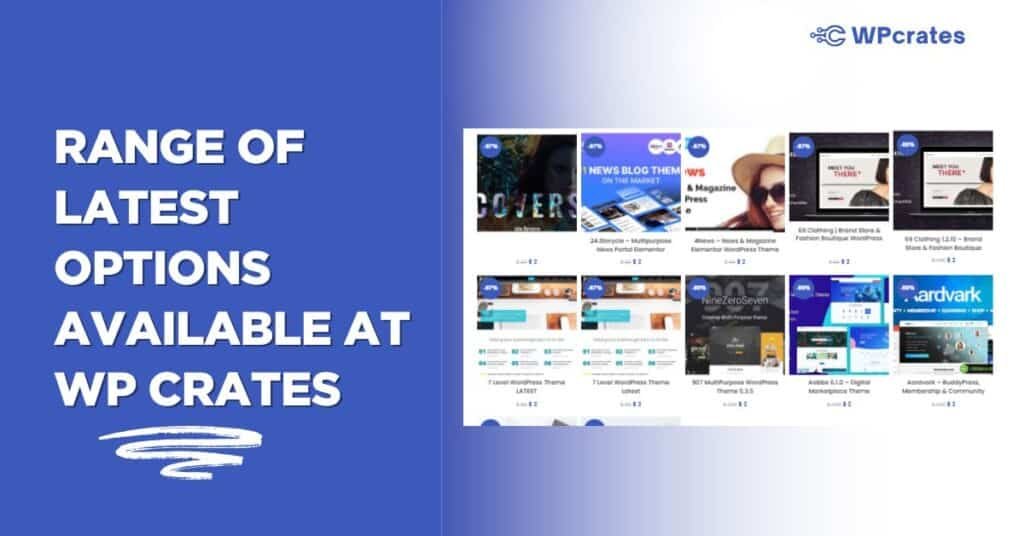
Range of Latest Options Available
WP Crates keeps things fresh with recent divi releases. You’ll find extensions like Divi Shop Builder for WooCommerce at version 2.0.22, ready for e-commerce tweaks in your child theme. Their stock hits over 5,000 items, including theme files that play nice with divi. No hunting around—everything’s organized for quick grabs. Spot anything that catches your eye?
Benefits of Shopping at WP Crates
Affordable Prices: Grab premium divi items for estimated $2–$4, way below original tags of estimated $59–$100. Saves cash for other site bits.
Lifetime Access: Many come with unlimited site use and updates, perfect for growing your divi projects over time.
Clean Files: GPL versions arrive virus-free, with easy installs that fit right into your child theme folder.
Quick Support: Tickets and email help get you sorted fast, even for custom css questions. These perks make setup less of a chore.
Customer Reviews
“Absolutely love WP Crates! Their themes are lightweight, responsive, and super easy to customize. My website performance improved drastically after switching.” — Michael R.
“WP Crates helped me build my WordPress site in half the time. The support team was quick and genuinely helpful throughout the setup process.” — Samantha L.
“The plugins from WP Crates are a game-changer. I use them on multiple client sites and never had a single compatibility issue.” — David P.
“I’m not a tech expert, but WP Crates made website building simple for me. The dashboard is clean and intuitive. Highly recommend!” — Jessica T.
“Reliable, affordable, and modern designs — that’s what I got from WP Crates. Their themes are perfect for both blogs and business sites.” — Andrew K.
“I’ve tried many WordPress theme providers, but WP Crates stands out for its speed and excellent support. Totally worth every penny.” — Rachel M.
“The child theme generator from WP Crates saved me so much time! It’s the easiest tool I’ve used so far.” — Jonathan D.
“WP Crates offers premium quality themes that look professional and load super fast. My SEO ranking actually improved!” — Emily F.
“I built my client’s eCommerce store using WP Crates templates — smooth process, stunning result, and no bugs at all.” — Ryan H.
“What impressed me most was their customer care. WP Crates answered all my questions within minutes and guided me through customization.” — Natalie S.
Ready to Start? Get Astra Today
Time to grab astra and kick off your wordpress website. Head over to WP Crates for a steal on this theme wordpress it’s the spot for quick downloads without the high price tag. Once you have it, pair with elementor for drag-and-drop fun and watch your site come alive. Whether ecommerce or a basic blog, astra makes setup painless. Don’t wait; snag it now and start customizing your way to a slick online presence.
Divi child theme opens doors to safer, smarter site building. From linking to your parent theme to adding those personal touches, it’s worth the small effort. Grab one from WP Crates if you’re after reliable divi gear, or roll your own with a simple generator. Either way, your wordpress theme will thank you next update.
For more details join our social accounts
Stay connected with us to get the latest updates, exclusive insights, and helpful tips that matter to you. We share daily posts, stories, and real experiences to keep you informed and inspired. Follow our journey, be part of our growing online community, and never miss an update from us