Smart Slider 3 – The Most Powerful WordPress Slider Plugin
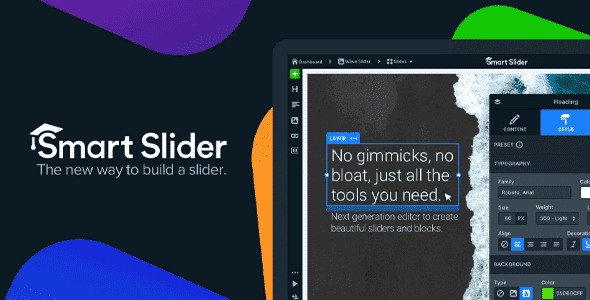
Smart Slider 3 helps you create modern and responsive sliders for WordPress and Joomla without coding. It is widely adopted with strong ratings from users and teams who want better visuals and faster setup. The visual editor lets you design hero sections, carousels, image showcases, and engaging content blocks that look professional on any device. If you are exploring a Smart Slider 3 demo or want to start from a Smart Slider 3 template you will find ready layouts that shorten build time and keep your pages consistent. The plugin is optimized for speed, search visibility, and accessibility so your sliders support both design and performance goals.
With it you can display products, highlight promotions, feature latest posts, and blend video with text and buttons inside a single canvas. The live editor uses rows and columns so you can position layers precisely and preview changes instantly. If you want a looped presentation you can enable a Smart Slider 3 continuous loop. If you prefer a guided narrative you can switch to Smart Slider 3 one slide at a time. Either way the audience remains focused on your message.

Why Choose Smart Slider 3?
Most site owners need a slider tool that is easy to learn, quick to update, and reliable under traffic. Smart Slider 3 was built with that goal. It works with common themes and leading page builders and it connects to WordPress media, posts, and WooCommerce catalogs. Designers can fine tune spacing, typography, and Smart Slider 3 slide background color to match brand guidelines. Editors can reuse sections and save time by storing slides in a library. Site managers get a stable plugin that respects best practices for markup and rendering.
- Live slide editor that behaves like a page builder so teams can work visually
- Layer based design with headings text images buttons and video for rich layouts
- Responsive controls with device previews and adaptive font sizing
- Templates for fast starts and a slide library for reusable blocks
- Dynamic sources to pull posts products and media into sliders automatically
- Navigation options including arrows bullets thumbnails and autoplay controls
- Email friendly and search friendly output with clean HTML and proper attributes
Key Features of Smart Slider 3
The feature set covers everything from first build to long term content upkeep. You can start from a blank slide or load a Smart Slider 3 template and then adjust layers to fit your copy and imagery. Controls allow you to fine tune timing and motion for slides and for individual layers so the experience feels polished rather than distracting.
- Live drag and drop editor Arrange layers in rows and columns set alignment and spacing and preview changes as you work
- Layer animations and transitions Choose fades slides zooms and background effects to strengthen your story
- Responsive design Preview desktop tablet and mobile and hide or show layers on specific breakpoints
- Dynamic content Connect to WordPress posts WooCommerce products YouTube Vimeo Flickr and more for automated updates
- Controls and navigation Configure autoplay timing arrows bullets progress bars and thumbnails to match the use case
- Styling Set the Smart Slider 3 slide background color fonts and spacing to meet brand standards
- Accessibility and SEO Add alt text titles and readable copy so search engines and assistive tech can understand the content
When you need an animated banner or a simple gallery you can switch between Smart Slider 3 continuous loop for ongoing attention or Smart Slider 3 one slide at a time to lead visitors through a clear sequence. That flexibility makes the plugin fit product pages, landing pages, portfolios, and blog home screens.
Smart Slider 3 Pro – Unlock Full Potential
The free edition covers the basics and is useful for small sites. Smart Slider 3 Pro adds advanced layers, a live animation timeline, more background effects, full page responsive layouts, dynamic generators for custom post types and events, and a built in lightbox. These additions help teams deliver complex hero sections, multi row carousels, and content driven sliders at scale.
- Additional layers for icons counters and richer calls to action
- Live timeline to coordinate layered motion with exact timing
- More background animations for subtle depth and polish
- Lightbox for media galleries without leaving the page
- Dynamic sources for custom post types WooCommerce catalogs and event plugins
- Priority support and regular updates for new WordPress and PHP versions
Smart Slider 3 for Joomla Users
Smart Slider 3 is available for Joomla as well. The same live editor templates responsive controls and dynamic content sources are present so cross platform teams can maintain a consistent approach across properties. Whether your stack is WordPress or Joomla you can build sliders that follow the same design rules and content model. That reduces training time and improves brand consistency across sites and campaigns.
Real User Testimonials
Users often note the balance of ease and depth. Reviewers praise the speed of the live editor and the quality of the templates. Many call it a mini builder for hero sections since layers allow complex compositions with clear structure. Teams also highlight the stability of updates and the helpful documentation and video guides that shorten onboarding.
- I can recommend the free edition because it already covers more than many paid tools according to a well known review site
- After trying several slider plugins this one stood out for clarity and speed said another reviewer
- It can build more than a basic slider and can shape whole sections of a page shared a web publisher
Why Buy Smart Slider 3 from WPcrates?
WPcrates provides clean and secure GPL and original license products with pricing that helps you scale. You get frequent updates for compatibility and a large catalog that includes page builders performance tools design kits and marketing extensions. You can get this plugin and many other themes and plugins from WPcrates which gives you a safe and affordable way to equip your site for growth.
- Verified files that are checked and safe
- Regular updates for WordPress WooCommerce and Joomla compatibility
- Budget friendly access to premium tools for agencies and store owners
- Thousands of maintained items so you can standardize your stack
Final Thoughts – Is Smart Slider 3 Worth It?
Smart Slider 3 offers a practical mix of power and simplicity. The editor is easy to learn and the results look professional on every device. You can start with a Smart Slider 3 template or design from a blank slide then add layers, motion, and dynamic sources as needed. Controls for Smart Slider 3 continuous loop or Smart Slider 3 one slide at a time let you pick the right pacing for a product pitch or a story. Styling options for fonts spacing and Smart Slider 3 slide background color help match brand guidelines without custom code. For teams that want visual impact with reliable performance the plugin is a smart investment.
How to use Smart Slider 3?
Smart Slider 3 is easy to use , thanks to its live drag-and-drop editor. You can create a new slider, choose a pre-made template, or start from scratch. Add layers such as text, images, buttons, or videos, and arrange them visually. Once your design is ready, you can insert the slider into any page or post using a shortcode, widget, or block.
How to use Smart Slider 3 in WordPress?
To use this plugin in WordPress, install and activate the plugin from your WordPress dashboard. After activation, go to the Smart Slider menu, create a new slider, and design it with the live editor. Copy the generated shortcode and paste it into your page, post, or theme section. The slider will display instantly and adapt to your WordPress theme.
Is Smart Slider 3 free or paid?
Smart Slider 3 offers both a free version and a Pro version. The free version includes essential features like responsive design, basic templates, and a live editor. The Pro version unlocks advanced tools such as extra layers, animation timeline, WooCommerce integration, and premium templates for more complex projects.









![<strong>[Lifetime Key] All-in-One WP Migration – Unlimited Extension</strong>](https://wpcrates.com/wp-content/uploads/2025/04/neve-33-300x300.png)
![<strong>[Lifetime Key] NotificationX Pro</strong>](https://wpcrates.com/wp-content/uploads/2025/04/embeddpress-2-300x300.png)
![<strong>[Lifetime Key] Templately</strong>](https://wpcrates.com/wp-content/uploads/2025/04/embeddpress-1-300x300.png)
![<strong>[Lifetime Key] EmbedPress Pro</strong>](https://wpcrates.com/wp-content/uploads/2025/04/neve-34-300x300.png)
![<strong>[Lifetime Key] Essential Blocks Pro</strong>](https://wpcrates.com/wp-content/uploads/2025/04/essb-300x300.png)
![<strong>[Lifetime Key] SchedulePress Pro</strong>](https://wpcrates.com/wp-content/uploads/2025/04/scedulepress-300x300.png)

Reviews
There are no reviews yet.