WooCommerce Min Max Quantity & Step Control plugin offers to set product’s
- Minimum Quantity
- Maximum Quantity
- Step Quantity
- Cart Page Quantity
- Default Quantity
You can set values for all products globally. The same values will apply to all products. You can set values by category. In this case min, max, and step values will apply only to chosen categories.
Also, you can set values for each product individually. Product label values will override global and categories values.
Plugin Features
- Set a default quantity for products.
- Set a minimum quantity value for products.
- Set maximum quantity value for products.
- Set quantity step for products.
- Set min, max, step values globally.
- Set min, max, step values for each product individually.
- Set values by category
Global settings
Navigate to WooCommerce > Min Max Step Quantity menu to set global values. These values will apply to all products. If you choose any category here then, this global setting will only be applied to the chosen categories.
Terms wise configure
Navigate to WooCommerce > Min Max Step Quantity menu to set values by terms. Select terms and set values. You can select the product category, product tag, product type, product visibility, and many more.
Configure for each product
You can set values for each product individually. These values will override global and terms values.
Controls on each variation
With our awesome WooCommerce Min Max Quantity & Step Control plugin, you can control each Variation of a Variable Product.
Conditions for cart pageNEW
You can set conditions on the cart page. Navigate to WooCommerce > Min Max Step Quantity menu, you will find “CART PAGE CONDITIONS” section. From there you can set minimum/maximum price and minimum/maximum quantity to checkout.
Decimal QuantityNEW
On a typical day, a business might take orders like 1.5ml. You can set decimal quantities for your products with the help of our plugin.
All Themes supported:
We’ve checked this plugin with a variety of themes and confident that it will also work with your theme.
All Messages are customizable:
You can change all the custom messages of this awesome plugin .
Compatible with “Woo Product Table” plugin:
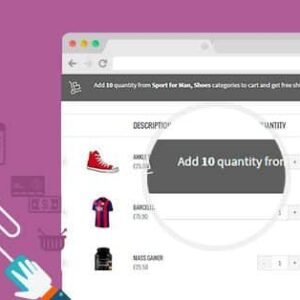
With WooCommerce Min Max Step Quantity you can set the quantity steps in Woo Woo Product Table as well as in all other WooCommerce plugin. By setting steps products quantity will increase or decrease according to the given number.









![<strong>[Lifetime Key] All-in-One WP Migration – Unlimited Extension</strong>](https://wpcrates.com/wp-content/uploads/2025/04/neve-33-300x300.png)
![<strong>[Lifetime Key] NotificationX Pro</strong>](https://wpcrates.com/wp-content/uploads/2025/04/embeddpress-2-300x300.png)
![<strong>[Lifetime Key] Templately</strong>](https://wpcrates.com/wp-content/uploads/2025/04/embeddpress-1-300x300.png)
![<strong>[Lifetime Key] EmbedPress Pro</strong>](https://wpcrates.com/wp-content/uploads/2025/04/neve-34-300x300.png)
![<strong>[Lifetime Key] Essential Blocks Pro</strong>](https://wpcrates.com/wp-content/uploads/2025/04/essb-300x300.png)
![<strong>[Lifetime Key] SchedulePress Pro</strong>](https://wpcrates.com/wp-content/uploads/2025/04/scedulepress-300x300.png)

Reviews
There are no reviews yet.